
English originated in early medieval England and has since become one of the most widely used and influential languages in the world.
In practical work and study, people often need to translate between English and other languages, especially PDF files.
This article will focus on “PDF translate English to Tamil”, detailing how to do PDF English to Tamil translation.
Why Translate English PDFs into Tamil?
In the context of globalization, a large amount of important information exists in English form, but not everyone has good English reading skills.
Translating English PDFs into Tamil helps eliminate language barriers and promotes educational development.
The following explains why we translate PDFs from English to Tamil.
- Eliminating language barriers: Translating English PDFs into Tamil makes information more accessible to a wider audience, breaking down language barriers.
- Promoting education: Tamil translations provide students and teachers with more learning resources.
- Ensuring accurate transmission of important information: Translating English PDF files into Tamil ensures that a wider audience can access important information, helping people in the Tamil community understand and utilize this important content.
- Promoting cultural exchange: Translating English PDFs into Tamil fosters a better understanding of different cultures and promotes communication.
How to Translate PDF English to Tamil
This section outlines two simple methods for easily translating PDF text and images from English to Tamil.
Method 1: Via MiniTool Partition Wizard
MiniTool PDF Editor is a professional PDF editing tool. Its “Quick Translate” function supports multiple languages, allowing you to easily translate between any two languages.
In addition, it allows you to add links, underlines, annotations, stamps, and signatures, convert PDF files to other formats (and vice versa), and protect and compress PDF files.
MiniTool PDF EditorClick to Download100%Clean & Safe
You can use this software for PDF English to Tamil translation. Here is the guide:
#1. Translate PDF Text
Step 1: Download and install MiniTool PDF Editor.
Step 2: Right-click the English PDF and select Open with > MiniTool PDF Editor.
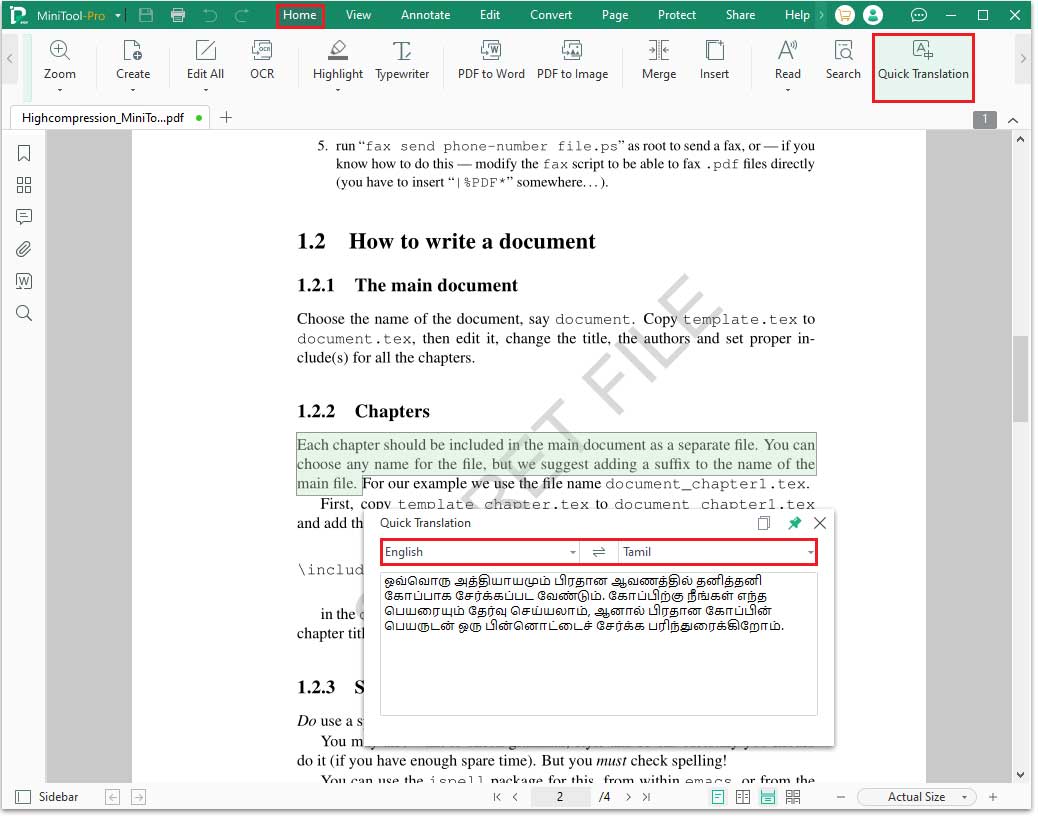
Step 3: Navigate to the Home tab and click Quick Translation under it.
Step 4: In the Quick Translation dialog, select English as the source language and Tamil as the target language. The translated text will then appear in the box.
#2. Translate PDF Text on Image
If your English PDF is an image, MiniTool PDF Editor’s OCR feature can convert it into an editable format, making translation easy.
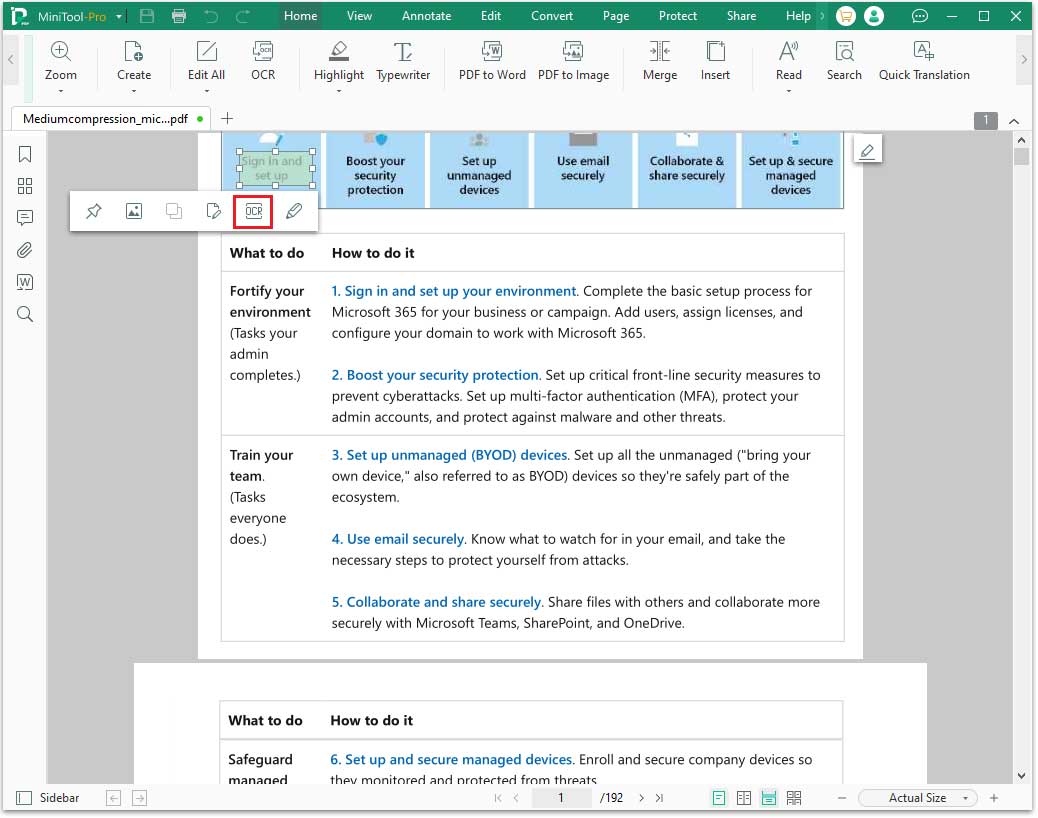
Step 1: Locate the image, then use the cursor to select the text within it. Next, click the OCR button that appears below the selection.
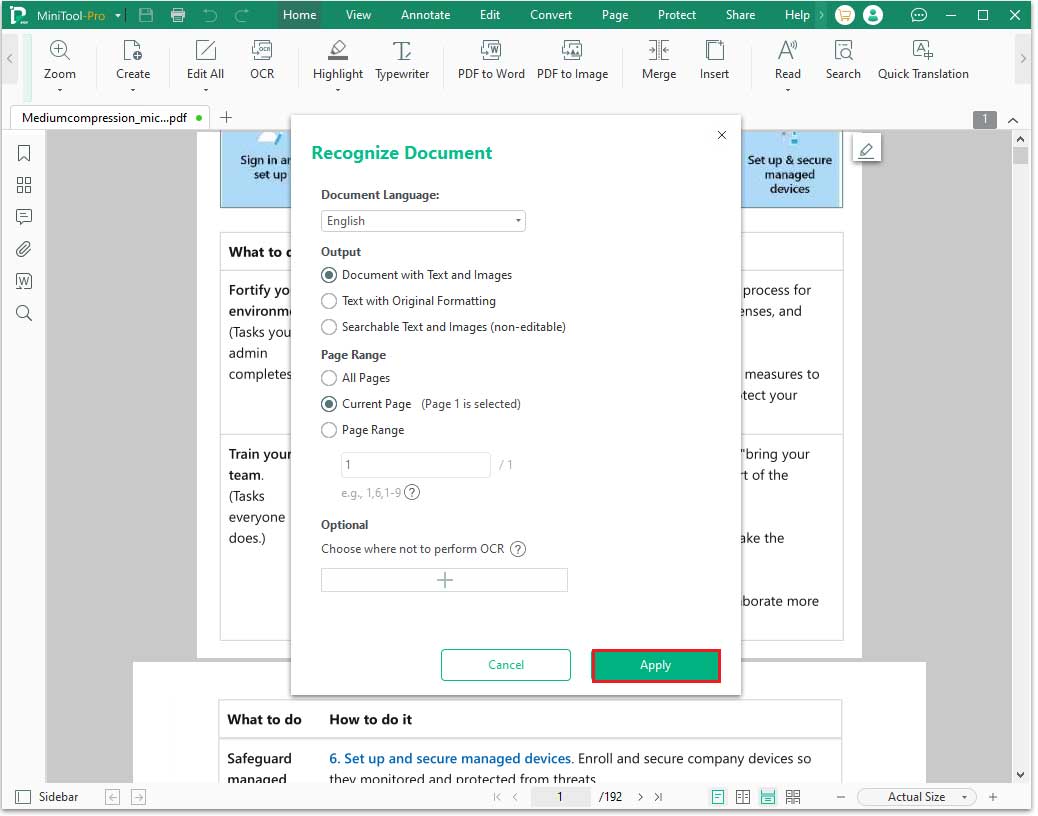
Step 2: On the pop-up window, make sure the Document Language is English. Then, customize the output, page range, and other settings according to your needs, and then click Apply.
Step 3: After that, you can translate an English PDF to Tamil using the Quick Translate feature.
Method 2: Via Google Translate
There are many online translation tools, such as Google Translate, Google Docs, etc. You can choose a translation tool you like and translate English into Tamil online.
The following will use Google Translate as an example.
Google Translate is a free online tool that allows translation across multiple languages, supporting documents, text, images, and web content.
It supports up to 249 languages, including English and Tamil.
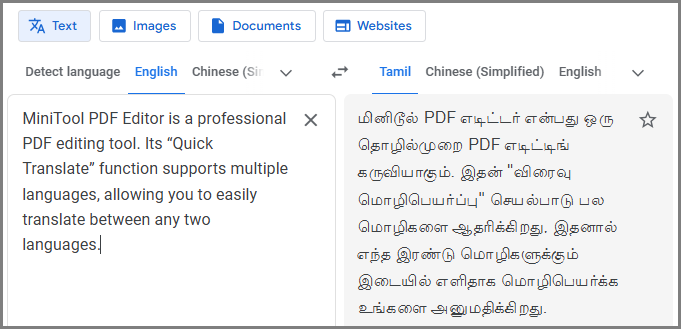
#1. Translate PDF Text
- Open the English PDF you want to translate, copy the text you need, and paste it into Google Translate’s text box.
- Select English as the source language and Tamil as the target language.
#2. Translate Text on PDF Image
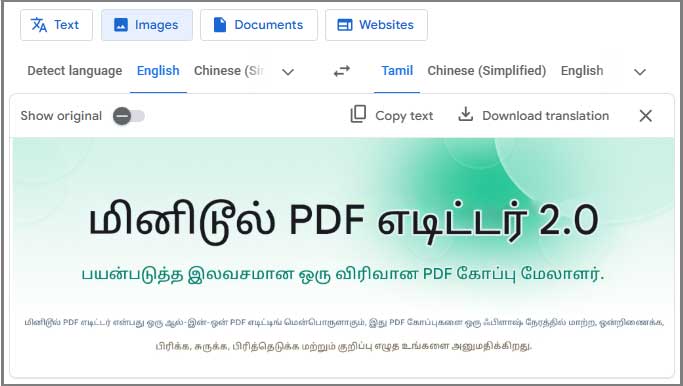
- Locate the image in the PDF and take a screenshot.
- Open Google Translate and go to the Images tab.
- Choose the source and target languages, then drag and drop the image into the left window.
- The translated image will appear shortly, allowing you to copy the text or download the translated image.
#3. Translate PDF Document
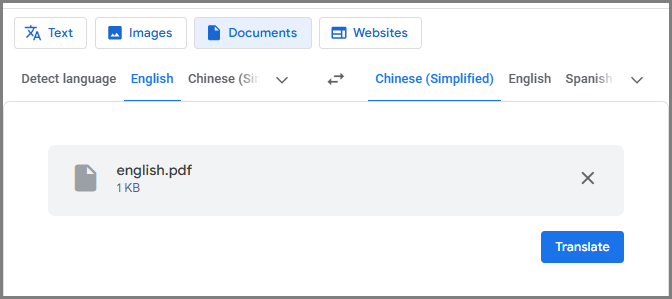
- Open Google Translate and select the Documents option.
- Drag and drop the English PDF document into the left panel.
- Set English as the source language and Tamil as the target language, then click Translate.
- Click the Download Translation button to save the translated PDF.
Further Reading: Best English to Tamil Translator
Searching for a reliable English to Tamil translator? The right choice depends on your requirements. Here’s a brief overview of popular online and offline PDF translation tools.
#1. MiniTool PDF Editor
- MiniTool PDF Editor is a comprehensive PDF editing software that supports document translation, editing, adding watermarks, encryption, and more. Translated PDF files may have formatting or layout issues, which you can correct using this tool.
- In addition, it has built-in OCR (Optical Character Recognition) functionality. It can convert scanned PDFs into editable text, allowing you to easily translate text in scanned documents or images.
#2. Google Translate
- Google Translate is a free and widely popular online translation tool that supports translation between multiple languages.
- It can translate not only plain text but also PDF files, images, and web page content, making it convenient for you to obtain the information you need in different scenarios.
- For those who urgently need to translate English documents into Tamil, Google Translate provides a convenient solution.
Bottom Line
This article shows you how to translate an English PDF to Tamil PDF using MiniTool PDF Editor. Alternatively, you can use online tools like Google Translate to translate.
If you have any questions or suggestions while using the MiniTool PDF Editor, you can contact us via support@minitool.com to get a quick reply.