
Signature And Verification
A signature is a symbol—typically a name, nickname, or unique mark reflective of an individual’s personal style—that is handwritten by the person themselves or created electronically. It serves to verify one’s identity, express intent, grant authorization, or acknowledge responsibility.
Paper documents typically utilize handwritten signatures, while electronic documents generally employ electronic signatures. An electronic signature could be any symbol or process attached to a document in an electronic form that serves to indicate the signatory’s consent (such as an electronic handwritten signature or a typed name).
Signatures carry legal force (often holding the same legal weight as official seals or fingerprints) and are utilized in documents, works of art, or electronic records to authenticate their validity.
The authenticity of handwritten signatures is verified based on handwriting characteristics, while the methods for verifying the authenticity of electronic signatures are complex and varied.
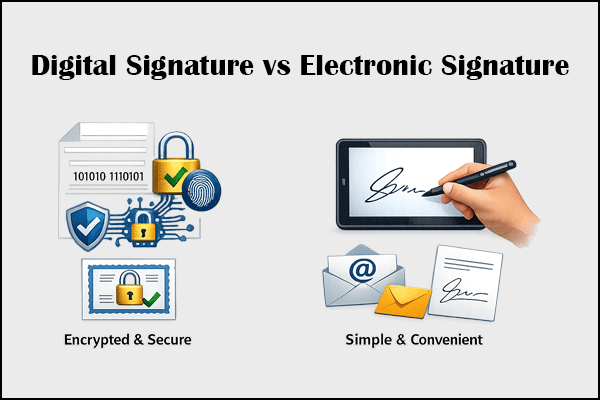
Electronic signatures can be categorized into ordinary electronic signatures and digital signatures.
- For Ordinary Electronic Signatures: Signers can be linked through authentication mechanisms such as mobile phone numbers, verification codes, account credentials, personal digital certificates, and email addresses. Furthermore, the signing entity can be traced through digital footprints recorded during the signing process, such as IP addresses, timestamps, and operational logs.
- For Digital Signatures: It uses cryptographic technologies (By matching hash values, determine whether the file has been tampered with), digital identities (issued by a legally established CA authority), and timestamps (primarily used to prevent backdating) to verify authenticity and ensure document integrity.
Can You Edit a Signed PDF?
Yes, you can. However, there are a few things you need to know before you start editing a signed PDF.
If a PDF document only uses an ordinary digital signature, you can edit it directly, without any restrictions. Once you have finished editing, simply adjust the document layout and signature placement.
How to edit a digitally signed PDF document? The situation is slightly more complicated because most editing actions will invalidate the digital signature. Here are some methods you. You can pick one according to your needs.
| Conditions | Methods |
| You are the sole signatory. | Remove your signature, edit the document, and then add it again. |
| You are not the sole signatory. | Coordinate with the other signatory and ask them to revoke their signature. Then, modify the PDF and send it to them for re-signing. |
| Don't want to delete the signature. | Some software, such as Adobe Acrobat, allows you to add notes and highlights to a signed PDF without invalidating the signature. |
| Just want to keep the image of the signature. | Print the signed PDF and then edit it. |
How to Edit a Signed PDF
MiniTool PDF Editor is a professional PDF editing tool that can edit, annotate, compress, and convert PDFs. If you are the sole signatory, you can also use it to edit a signed PDF. The guide is as follows:
MiniTool PDF EditorClick to Download100%Clean & Safe
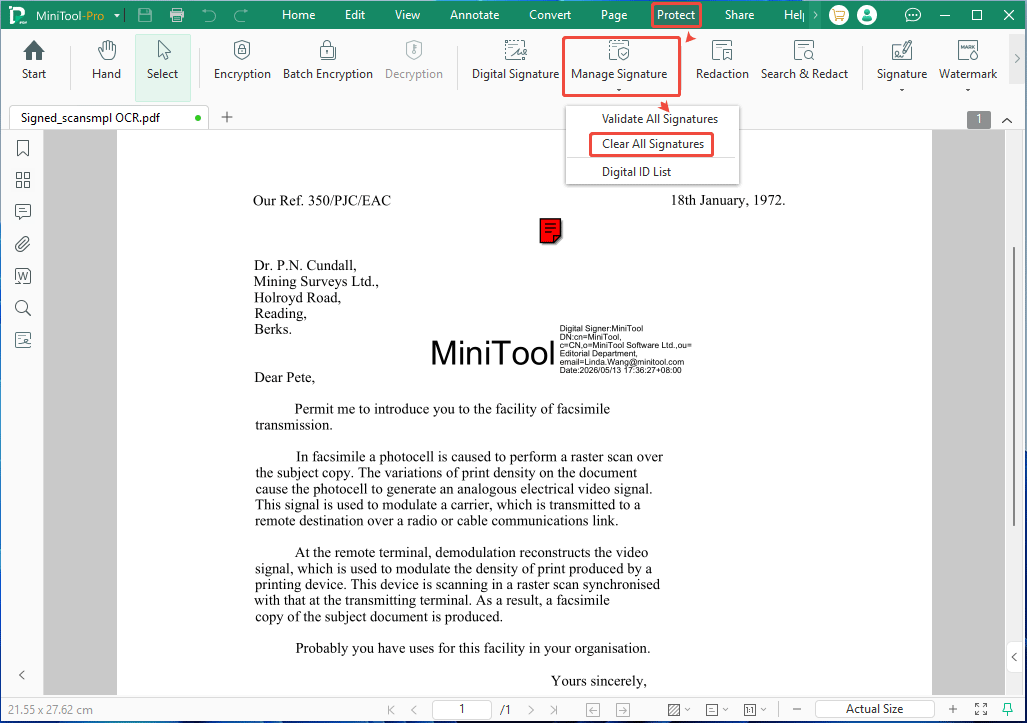
Step 1: Remove the signature.
- Open the signed PDF with MiniTool PDF Editor.
- Go to the Protect tab and select Manage Signature > Clear All Signatures.
Step 2: Edit the PDF.
- Go to the Edit tab.
- Click Edit All and then modify existing text.
- You can also insert text, replace text, white out content, add images, add links, etc.
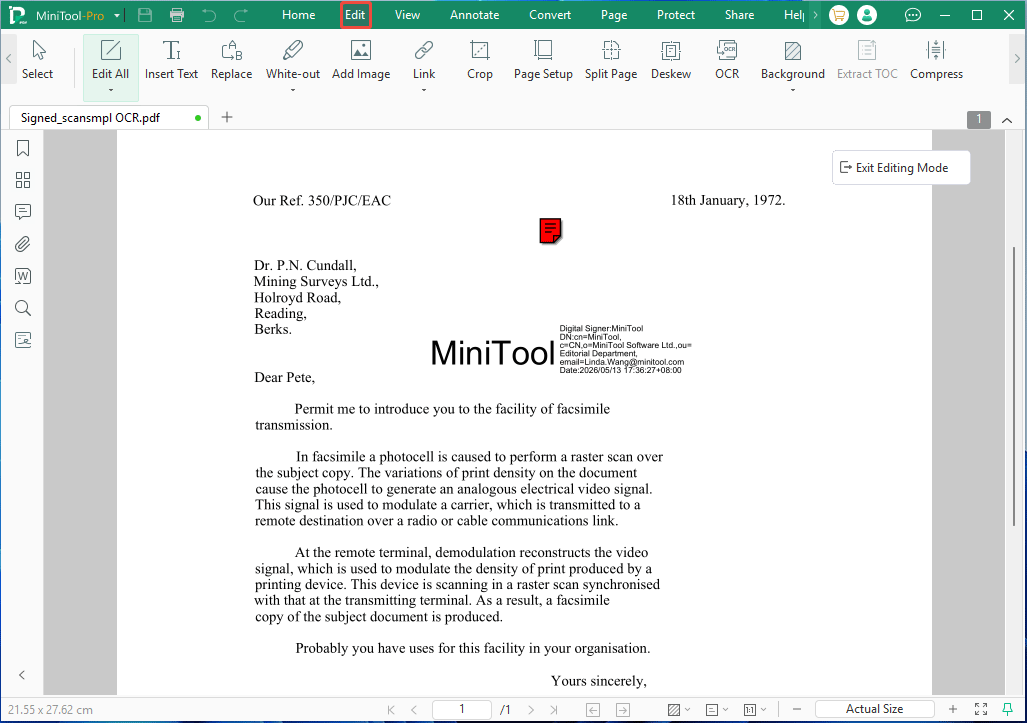
Step 3: After you finish editing, don't forget to add your signature and save the document again.
How to Edit a Signed PDF FAQ
However, if you simply want to fill out a form or add comments, it's still possible. But you'll need to use professional PDF tools, such as Adobe Acrobat and PDFelement.
However, this method will remove the signature. In addition, it works best for text-heavy documents, but formatting may shift.
Besides, if the document is a form and was not locked upon signing, you can add new information without ruining the signature.
Bottom Line
This post shows you how to edit a PDF after it has been signed. According to your condition, different methods are offered. If you encounter issues when using MiniTool PDF Editor to edit the signed PDF, send an email to [email protected] for assistance.
About The Author

Position: Columnist
Linda has been an editor at MiniTool for seven years. She continuously learns about computers and puts her knowledge into practice. Moreover, she is particularly knowledgeable in disk management, data recovery, system installation, and PDF editing. Her articles typically reference multiple examples or are based on her own experience, providing users with the most suitable solutions.