
Online and offline PDF editing each have their advantages and disadvantages, suitable for different use cases.
This article will provide a comprehensive comparison in terms of security, performance, and convenience, and recommend a tool that supports both online and offline editing: MiniTool PDF Editor.
Online vs. Offline Editor: Quick Comparison
Want to quickly understand the differences between online and offline PDF editors?
The table below lists their differences in security, speed, features, collaboration, ease of use, and more, giving you a clear overview.
| Comparison Dimensions | Online PDF Editor | Offline PDF Editor |
| Speed | Fast response time with a fast network | Instant operation after installation, with no file transfer delay |
| Supported devices | Supports all modern browsers and devices (Windows, Mac, Linux, mobile) | Only supports specific desktop operating systems (Windows or macOS). |
| Privacy and security | Uploading files to a server for processing relies on the service provider for security | Files are stored and processed locally, ensuring high privacy |
| Update | No update required | Manual download and installation are usually required |
| Functions and Advanced Editing | Basic editing, conversion, merging, and other functions | Advanced editing features, OCR, batch processing, etc. |
| Ideal for | Rapid editing and cross-device use | Offline work, high security requirements, and complex document processing |
| Cost | Most are free, but there may be a limit to the number of uses | One-time license or subscription per device |
To better understand which option suits your needs, let’s take a closer look at the key differences between online and offline PDF editing.
Online VS Offline PDF Editing: Which Should You Choose?
Online and offline PDF editors each provide distinct advantages, and the optimal choice depends on your workflow and requirements.
Key factors for comparison include speed and performance, privacy and security, accessibility and convenience, batch processing capabilities, and cost, helping you determine the most suitable solution.
Speed and Performance: Offline PDF Editor Is Better
In terms of speed and performance, offline PDF editors generally outperform online tools. This is because all processing is done on the local device, without relying on network uploads or downloads.
For large or structurally complex PDF files, offline software can open, edit, and annotate much faster.
Privacy and Security: Offline PDF Editor Is Better
Offline PDF editors process and save files directly on your local device, eliminating the need to upload documents to third-party servers. This provides better protection for user data security.
In contrast, online PDF editors require file uploads before processing, and even with security measures implemented by the service provider, your data may still be at risk of leakage.
If you value document privacy, an offline PDF editor is undoubtedly a safer and more reliable choice.
Accessibility and Convenience: Online PDF Editor Is Better
The biggest advantage of online PDF editors is their accessibility anytime, anywhere. All you need is an internet connection and a browser, and there is no need to install any software.
This is especially convenient for users who need to work temporarily or use different devices.
In contrast, offline editors need to be installed on specific devices beforehand and are often limited by the operating system environment, making them less flexible for cross-device or temporary needs.
For users who prioritize a lightweight, fast, and always-accessible document experience, online PDF editors offer greater convenience and usability.
Batch Processing: Offline PDF Editor Is Better
Offline PDF editors typically offer more powerful features, including conversion, merging, splitting, compression, encryption, and watermarking.
In contrast, many online PDF editors limit the number of files that can be uploaded at once, file size, or the number of times a file can be used per day.
Therefore, offline PDF editors are more practical for business users, office workers, or those who frequently work with PDF files.
Cost: Online PDF Editor Is Better
There’s a price difference between online and offline PDF editors. Most online tools use a subscription model, and offer free versions, even if these versions have limited functionality or usage.
In contrast, offline PDF editors are more likely to offer flexible licensing options, including one-time purchases as well as monthly or annual subscriptions.
If you only occasionally convert or view PDFs, online tools may suffice. However, for users who frequently edit PDFs, the offline PDF editor offers better value.
Best Offline & Online PDF Editor Recommendation: MiniTool PDF Editor
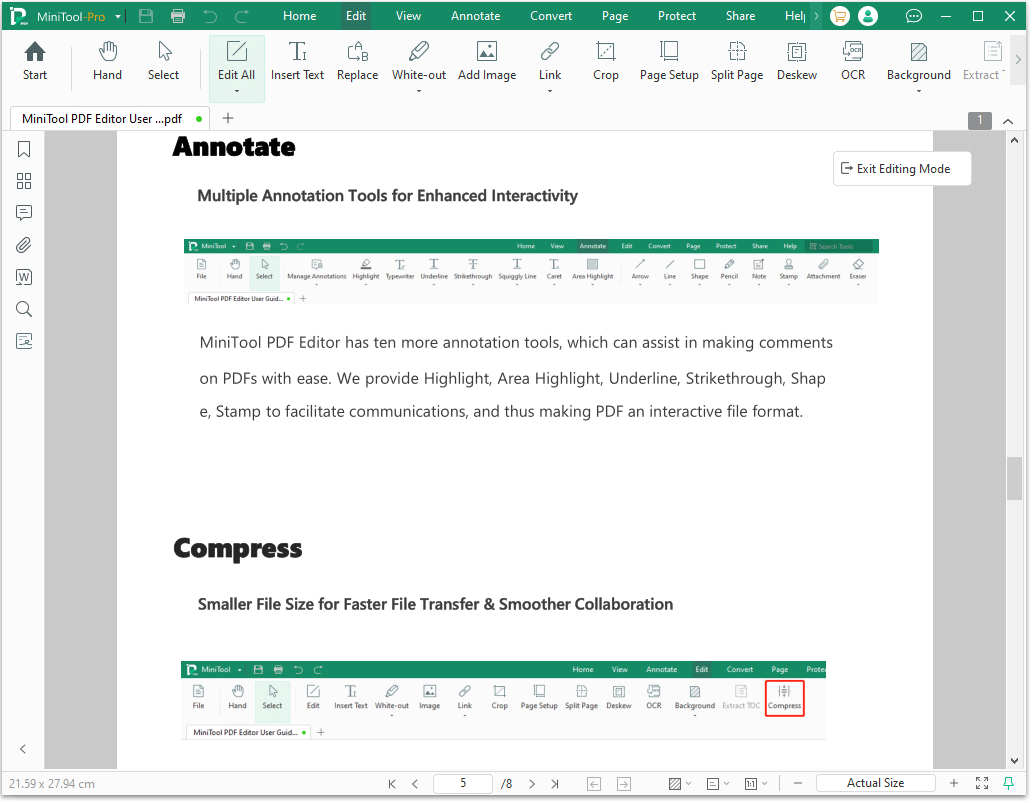
MiniTool PDF Editor offers powerful offline PDF editing features, allowing you to easily modify and insert text, add annotations, add images/links, merge files, split pages, convert PDF, and more.
The online version, however, has fewer features, only supporting PDF format conversion.
For a complete editing experience, the offline version is the better choice.
MiniTool PDF EditorClick to Download100%Clean & Safe
![How to Password Protect a PDF Safely? [A Step-by-Step Guide]](https://images.minitool.com/pdf.minitool.com/images/uploads/2023/03/how-to-password-protect-a-pdf-thumbnail-150x150.png)
Online vs Offline PDF Editing FAQ
Bottom Line
Offline vs online PDF editor: how to choose? This article provides full information. If you have any questions or suggestions while using the MiniTool PDF Editor, you can contact us via support@minitool.com to get a quick reply.